Command Line Utilities
MultiFlexi provides several command line utilities to manage and interact with the system. Below is a list of available utilities and their descriptions:
- multiflexi-app2json
Converts application configuration to JSON format.
- multiflexi-cli
Command line interface for interacting with MultiFlexi. Includes system status command (
multiflexi-cli status), telemetry testing (multiflexi-cli telemetry:test), and comprehensive entity management. For more details, see MultiFlexi CLI and MultiFlexi Credential Management System.
- multiflexi-executor / multiflexi-run-template
Executes scheduled jobs and tasks. As a daemon it polls the schedule queue and launches due jobs. With
-j <JOB_ID>it runs an existing job inline.With
-r <RUNTEMPLATE_ID>(also available asmultiflexi-run-template) it queues a new job for the given RunTemplate to run now, waits for the daemon to finish it, then reproduces the job’s stdout, stderr and exit code. The daemon must be running for the queued job to be picked up.Usage:
# Schedule a RunTemplate to run now and wait for the result
multiflexi-run-template -r <RUNTEMPLATE_ID> [-o <output_file>] [-t <seconds>]
-t, --timeoutsets the maximum seconds to wait for the daemon to run the job (0waits forever; default300, or theRUNTEMPLATE_WAIT_TIMEOUTenvironment variable). On timeout the command exits124. Requires multiflexi-executor >= 1.18.0 — earlier versions declared-t/--timeoutas an optional-value getopt option, so a space-separated value (-t 180) was silently dropped and the wait fell back to unlimited; upgrade and kill any long-runningexecutor.php -rprocesses started before the upgrade.-E KEY=VALUEinjects a one-time environment override into the job’s environment. Repeat the flag to inject multiple values. The override is applied on top of the RunTemplate’s configured environment (overrides win). Values are never logged.--env-json='{"KEY":"VALUE"}'accepts a JSON object whose keys and values are treated as env overrides, equivalent to repeating-Efor each pair. If both-Eand--env-jsonare given,-Eentries take precedence. Invalid JSON causes a non-zero exit.# Run RunTemplate 1 with a one-time environment override multiflexi-executor -r 1 -E IMPORT_SCOPE=2025-11-01 # Pass multiple overrides multiflexi-executor -r 1 -E FOO=bar -E BAZ=qux # Pass overrides as a JSON object multiflexi-executor -r 1 '--env-json={"IMPORT_SCOPE":"2025-11-01"}'
These flags are used by the job-chaining system to inject producer output into consumer jobs. See Job Chaining — Passing Data Between Jobs for details.
- multiflexi-job2env
Export job configuration as environment variables file.
- multiflexi-job2script
Export job configuration as a script.
- multiflexi-json-app-remover
Removes applications based on JSON configuration.
- multiflexi-json2app
Converts JSON configuration to application configuration.
- multiflexi-json2apps
Converts multiple JSON configurations to application configurations.
- multiflexi-phinx
Perform database migrations using Phinx.
multiflexi-probe - Probes the system for status and health checks.
multiflexi-cli status - Displays MultiFlexi system status including database configuration, system services, entity counts, Zabbix monitoring, and OpenTelemetry telemetry configuration. - Usage:
multiflexi-cli statusSee MultiFlexi CLI for complete details.
multiflexi-cli credential-type - Comprehensive credential type management including list, get, update, and JSON operations. - Key commands:
# List all credential types
multiflexi-cli credential-type:list

# Get credential type details
multiflexi-cli credential-type:get --id=1

# Validate JSON before import
multiflexi-cli credential-type:validate-json --file example.credential-type.json

# Import credential type from JSON
multiflexi-cli credential-type:import-json --file example.credential-type.json

# Export credential type to JSON
multiflexi-cli credential-type:export-json --id=1 --file exported.json
Features include schema validation, duplicate detection, localization support, and comprehensive error reporting.
See MultiFlexi Credential Management System for schema details and MultiFlexi CLI for complete command reference.
multiflexi-scheduler - Schedules jobs and tasks for execution.
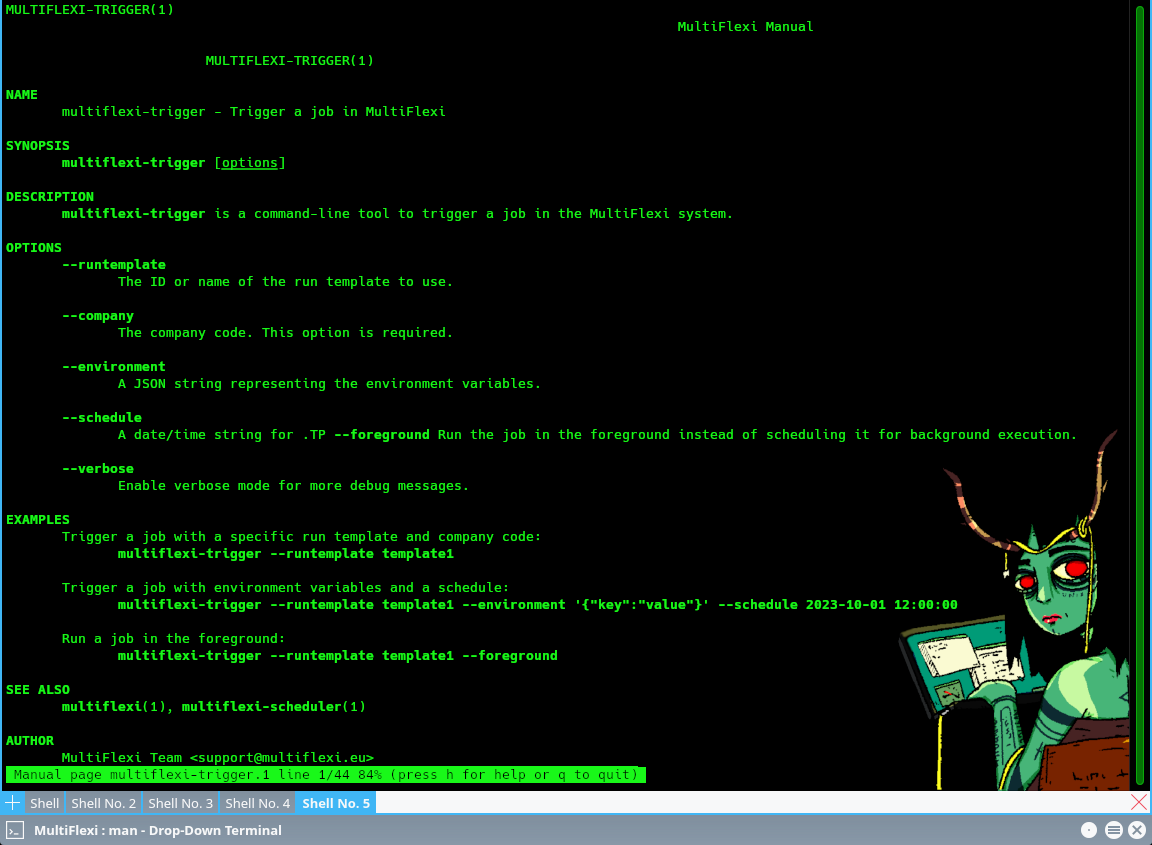
multiflexi-trigger - Triggers specific actions or jobs.
multiflexi-zabbix-lld - Generates Zabbix Low-Level Discovery (LLD) data.
multiflexi-zabbix-lld-actions - Manages Zabbix LLD actions.
multiflexi-zabbix-lld-company - Manages Zabbix LLD company data.
multiflexi-zabbix-lld-tasks - Manages Zabbix LLD tasks.
Each utility serves a specific purpose and can be used to automate and manage various aspects of the MultiFlexi system. For detailed usage and options, refer to the respective utility’s help command.